Mobile Service Sync and Housecall Pro at a Glance
| Feature | Mobile Service Sync | Housecall Pro |
|---|---|---|
| Built for | Mobile Service SyncMobile auto service: oil change, mechanics, detailing, tire and fleet crews | Housecall ProHome service businesses: HVAC, plumbing, electrical and more |
| Vehicle records | Mobile Service SyncEvery job hangs off a vehicle, with its own history and next-due date | Housecall ProNo vehicle record; equipment is tracked per property |
| License plate to VIN lookup | Mobile Service SyncYes, on every plan: in the office, the tech app and the booking page | Housecall ProNot offered |
| Route optimization | Mobile Service SyncOne click orders each tech's day on real Mapbox drive times | Housecall ProReorders a tech's day by drive time on MAX ($329/month) only |
| Technician app | Mobile Service SyncNative iOS and Android app that keeps working offline | Housecall ProiOS and Android app; offline mode is view-only |
| Inventory | Mobile Service SyncCounted per van, deducted when the job is completed | Housecall ProNo built-in inventory |
| Starting price | Mobile Service Sync$49/month (Core: 1 user, 20 jobs a month) | Housecall Pro$79/month (Basic, 1 user) |
| Free trial | Mobile Service Sync14 days, no card | Housecall Pro14 days, no card |
6 Reasons Mobile Crews Pick Mobile Service Sync Over Housecall Pro
License Plate to VIN Lookup on Every Plan
Housecall Pro tracks equipment at a property: make, model, serial number. There is no vehicle record, and no plate or VIN lookup.
Type a plate and state and the VIN, year, make, model, trim and engine fill in, and a VIN decodes the same way. It works in the office, in the tech app, and on your booking page, where the customer types their own plate. Oil weight and capacity are saved on the vehicle, so the next visit starts with them.
app.mobileservicesync.com / book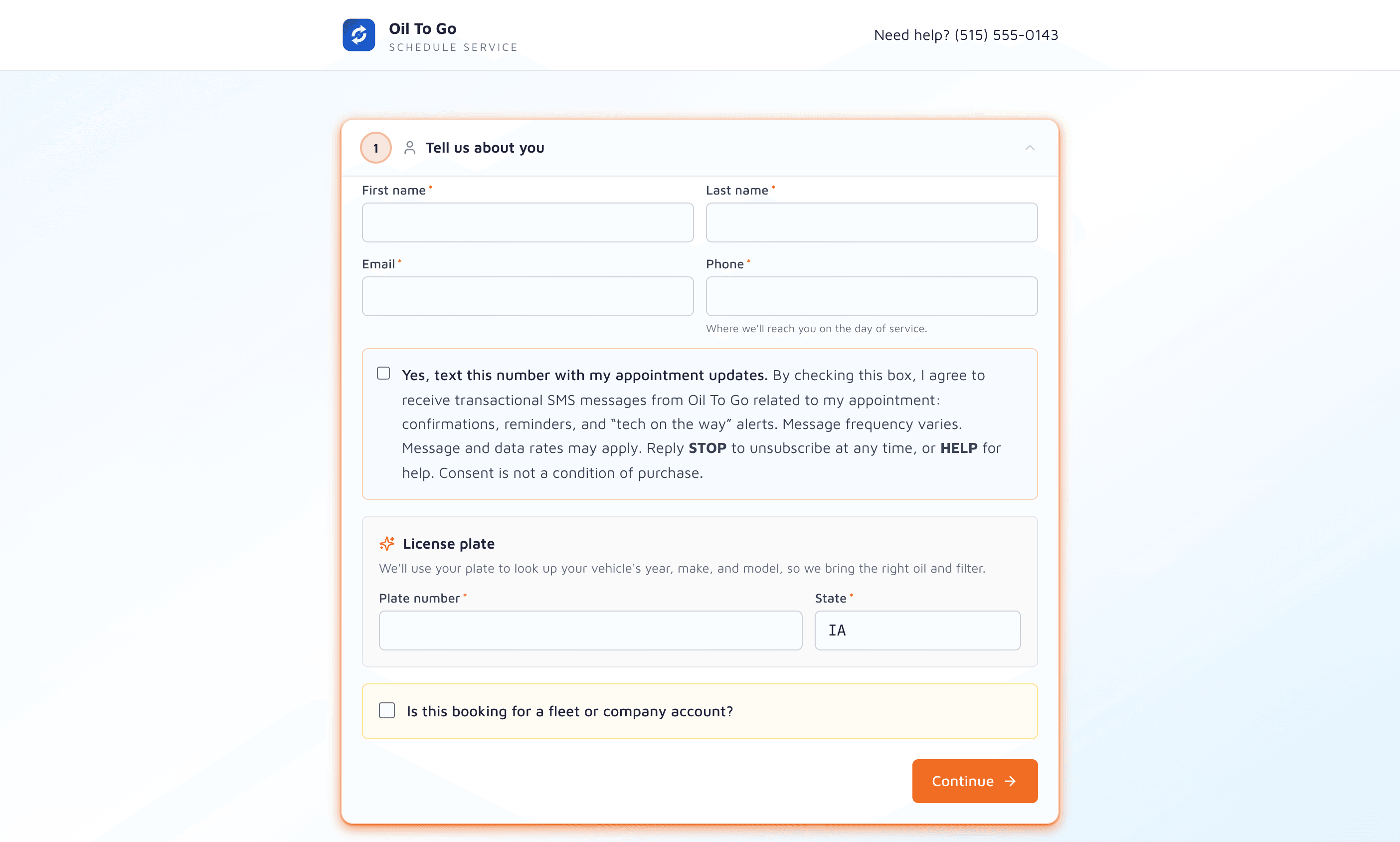
One Click Puts Each Van's Day in Order
Housecall Pro's drive-time optimization is on its MAX plan only, $329 a month. Ours is on every plan.
Drag jobs onto a tech, then one click sequences that tech's stops on real Mapbox drive times. Every van's stops sit on one map, and moving a stop to another van is one drag. When the margin is the drive between driveways, this is the screen that pays for the software.
app.mobileservicesync.com / schedule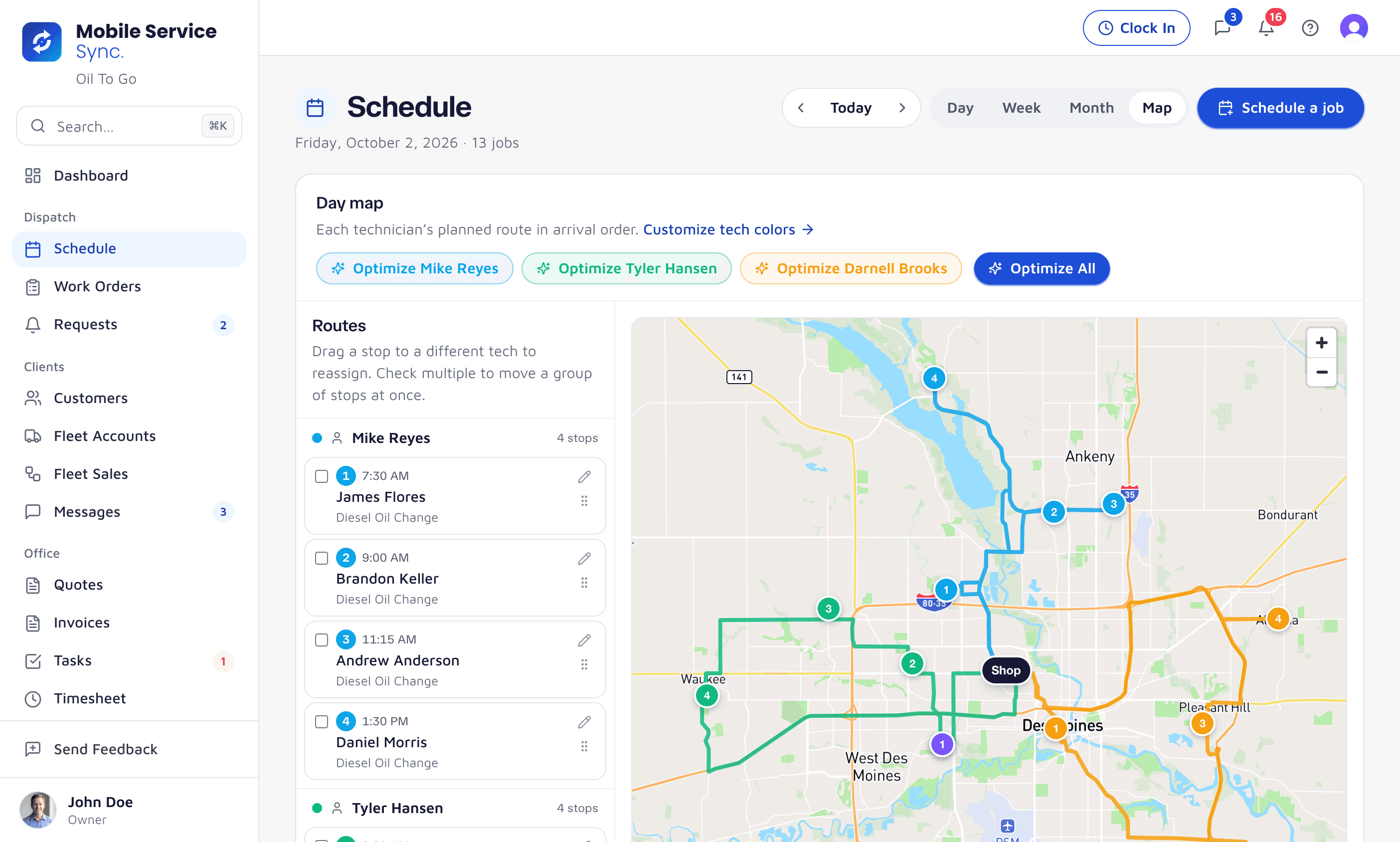
It Keeps Working With No Signal
Housecall Pro's offline mode is view-only. Ours keeps taking work.
The day's jobs download to the phone. In a parking garage or a dead zone, job status, inspections with photos, mark complete, line items, cash and check payments and the time clock all still work, then sync when the signal comes back, stamped with the time they were tapped.
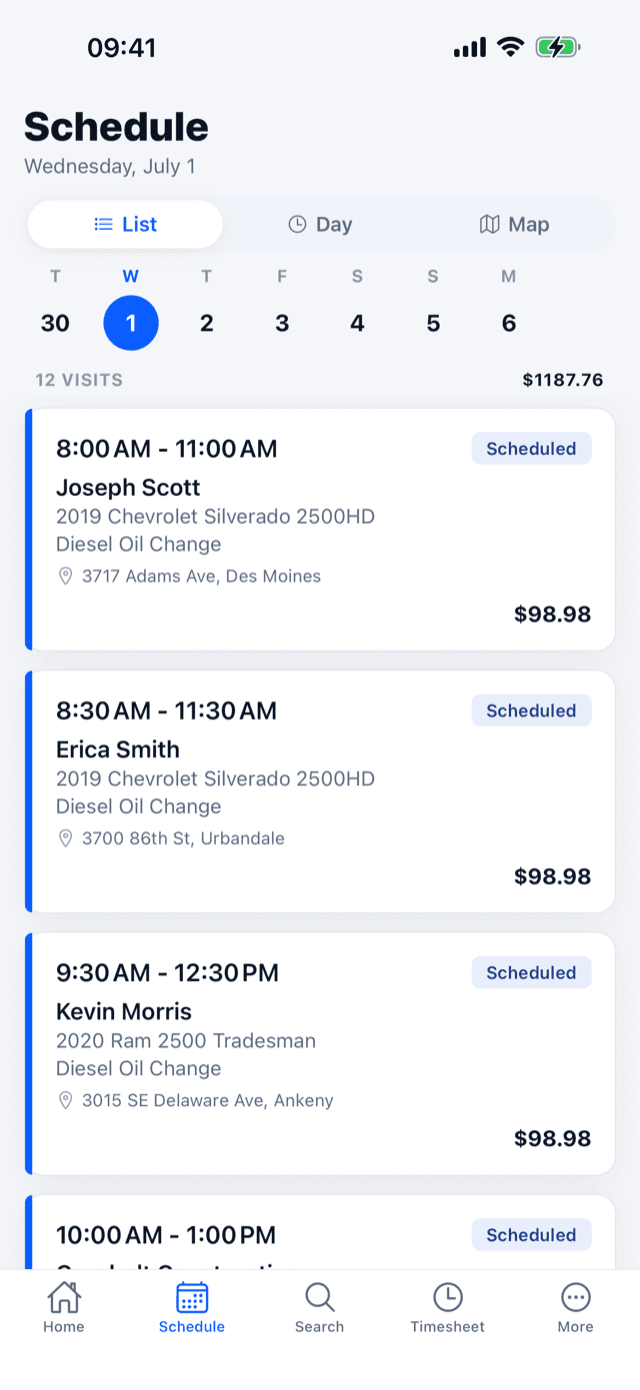
A garage level with no bars. The job still gets done, and the office sees it at 9:12, not whenever the van drove out. Fleet Accounts, Built In
At Housecall Pro, customer-level payment terms are in early testing and PO numbers are still rolling out. Fleet accounts are where we started.
Each fleet carries its own pricing, its PO-required rule and net-15 or net-30 terms, applied every time it books. On Growth and Pro the fleet manager gets a portal: every vehicle, what is coming due, service requests that land with your dispatcher, and a roster they can export.
app.mobileservicesync.com / fleet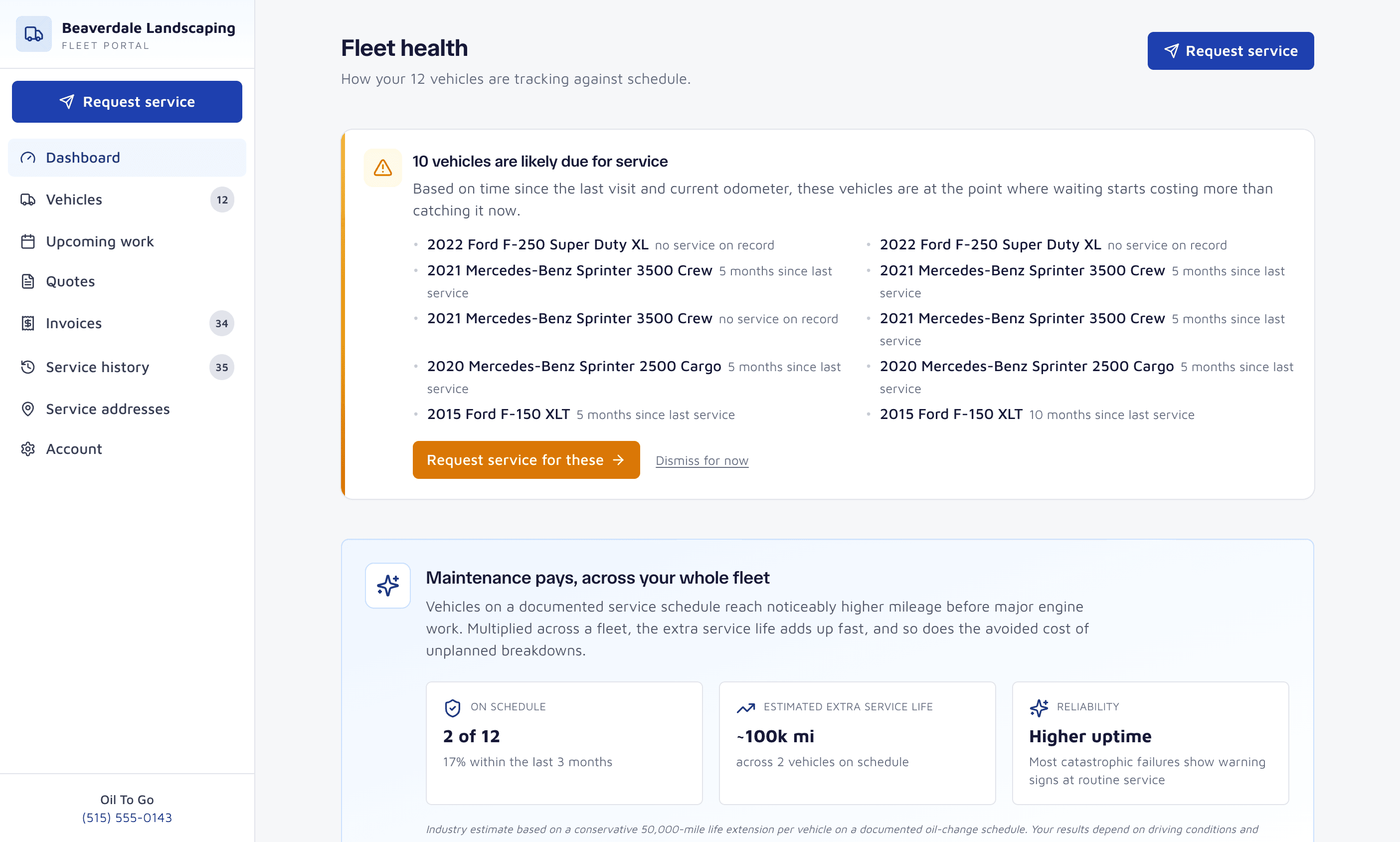
Stock Counted Per Van
Housecall Pro has no built-in inventory, and its help center points to QuickBooks for it. We count stock on the van it rides in.
Oil, filters and parts are counted per van and per shop location, come off the van's count when the job is completed, and the tech app shows what is on board with a restock request.
app.mobileservicesync.com / inventory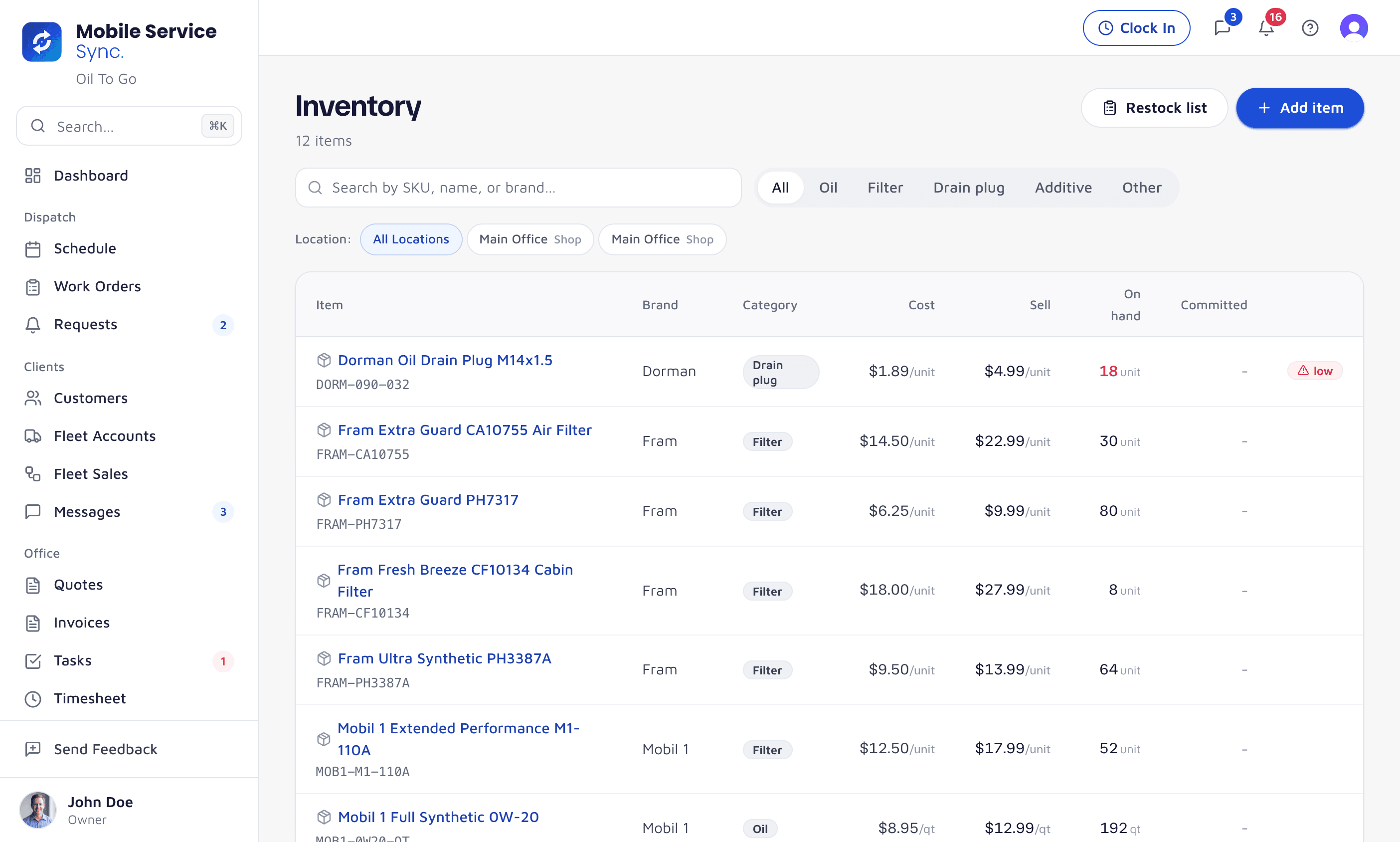
Every Vehicle Gets Its Own Next-Due Date
Housecall Pro's reminders follow service plans. Ours follow each vehicle.
When a job closes, the vehicle gets a due date from its own interval, its fleet's default, or how often it actually comes back. Switch reminders on and the customer gets an email, plus a text if they opted in, with a link to book the next one.
app.mobileservicesync.com / customers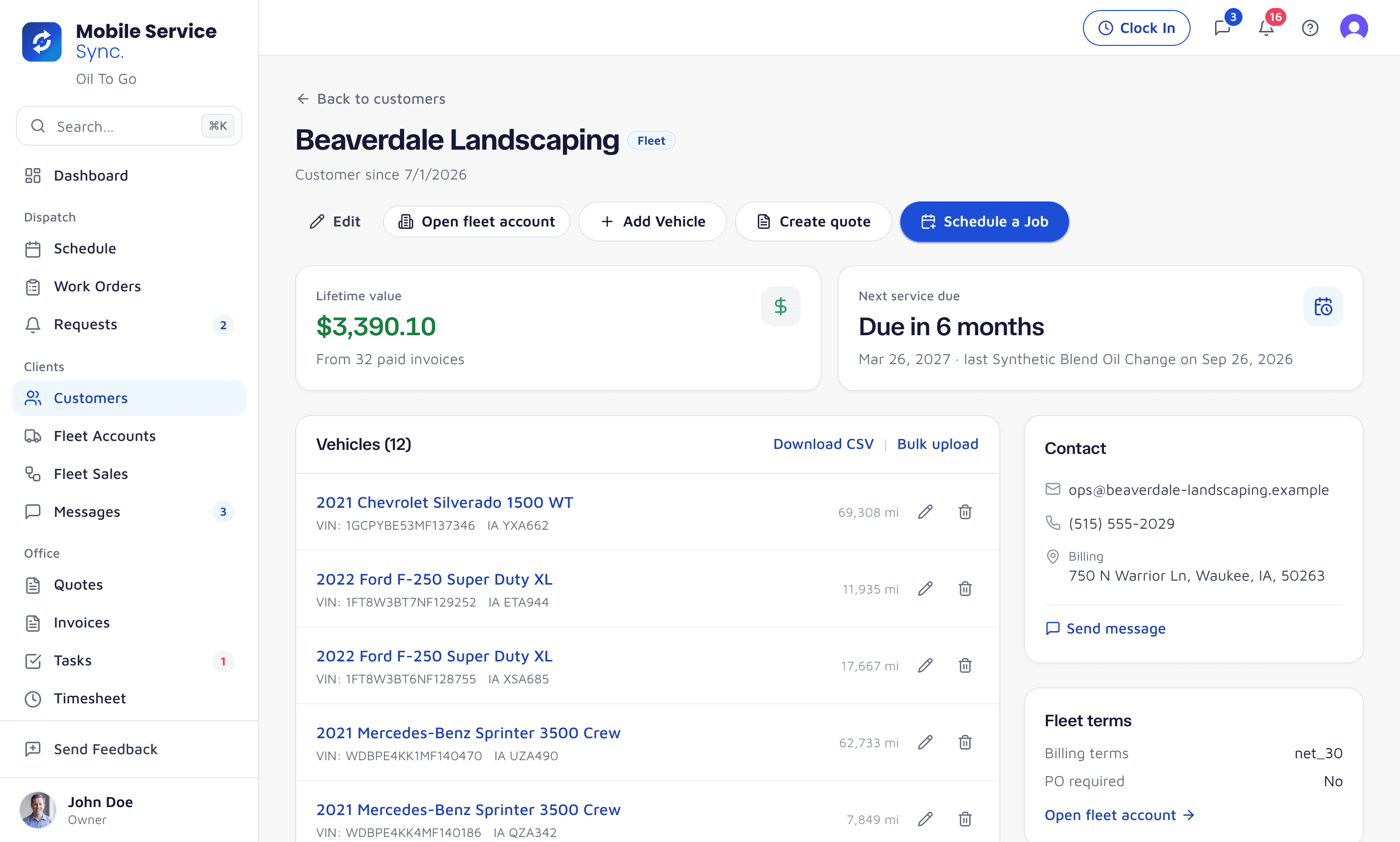
Mobile Service Sync vs. Housecall Pro Pricing
Mobile Service Sync
- Core1 user, 20 jobs a month$49/mo
- Growth2 users, unlimited jobs, fleet portals$175/mo
- Pro5 users, fleet sales pipeline$299/mo
Housecall Pro
- Basic: $79/mo, 1 user ($59/mo billed annually)
- Essentials: $189/mo, 5 users ($149/mo billed annually)
- MAX: $329/mo, 8 users, $35/mo per added user ($299/mo billed annually)
- HVAC, plumbing and electrical: Essentials $299/mo, MAX $649/mo
Our Core is $49 against their $79 Basic, with route optimization included. For a five-person crew, our Growth plan is $262 a month with routing included; on Housecall Pro, the plan that reorders a tech's day by drive time is MAX at $329.
When Housecall Pro Might Be the Better Call
- For HVAC, plumbing and electrical work, Housecall Pro is the more natural fit, with equipment tracked at each property and pricing built for those trades.
- Housecall Pro offers consumer financing on every plan, which we do not.
Questions Crews Ask
Yes, when the work is on vehicles. Jobs hang off a vehicle record with license plate to VIN lookup, each tech's day routes with one click on every plan, and the tech app keeps working offline. Housecall Pro is built around homes and the equipment in them.
No. Housecall Pro has no vehicle record; its customer records hold properties and the equipment at them. Mobile Service Sync looks up the VIN, year, make, model, trim and engine from a plate and state on every plan, including on the customer's booking page.
Its drive-time optimization, which reorders a tech's day, is on the MAX plan only. Mobile Service Sync includes one-click route optimization on every plan.
Its offline mode is view-only and covers today and the next two days. In Mobile Service Sync's tech app, job status, inspections with photos, mark complete, line items, cash and check payments and the time clock all work offline and sync when the signal returns.
Yes. 14 days free with no card, then month to month with no contract.
Sources
Everything said about Housecall Pro on this page comes from its own website, read on October 16, 2026. Prices and features change; check theirs before you decide.
- Housecall Pro pricing
- Housecall Pro product summary
- Housecall Pro help: optimize by drive time
- Housecall Pro help: offline mode on mobile
- Housecall Pro help: property profile
- Housecall Pro help: inventory tracking
- Housecall Pro help: customer payment terms
- Housecall Pro HVAC pricing
Housecall Pro is a trademark of its owner, used here only to identify the product compared. Mobile Service Sync is not affiliated with or endorsed by Housecall Pro.