Torquing to spec...
Booked While You Were Under a Car.
Drop a booking widget on your website. Customers pick a real time slot - one the truck can actually make - and the job lands on the schedule with the VIN and address already filled in.
app.mobileservicesync.com / book
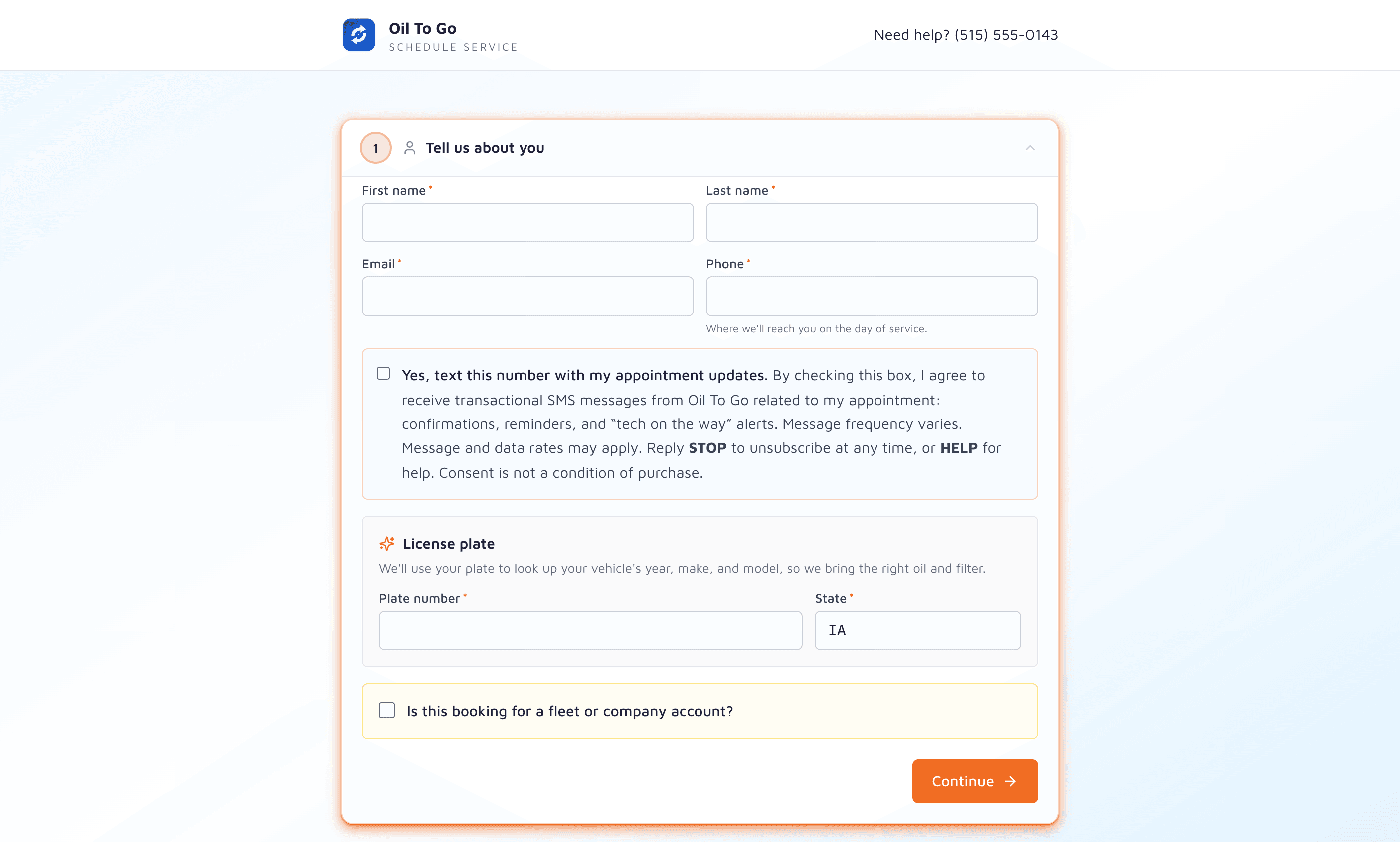
The Customer Flow, End-to-End.
Vehicle
Customer enters plate or VIN. Year/make/model auto-fill, no typos.
Address
The address is checked against your service area before a single time is offered. Out of zone? They find out now, not after.
Time
Windows come from your business hours, lead-time rules, and per-window capacity - so a slot can't overbook.
Confirm
Booking lands on the schedule. SMS + email confirmation goes out.
Embed It in Five Minutes.
Drop the widget on your homepage as an iframe or a script tag, styled to match your brand. Or skip the website entirely and send customers straight to your hosted booking page.
- iframe embed for any website
- Standalone hosted booking page
- Webflow / Squarespace / WordPress / hand-built sites
- Your logo and brand colors
index.html
<!-- Drop this anywhere on your site -->
<script
  src="https://book.mobileservicesync.com/widget.js"
  data-shop="rodriguez-mobile"
  data-theme="dark"
  async
></script>

<div id="mss-book"></div>
The Shop-Side Controls.
Service Area Gate
If a customer's address isn't in your service zone, the booking widget says so before they pick a time. Cuts the let-down email.
Lead-Time Rules
Block same-day or set a minimum lead time, so the crew never gets ambushed by a booking an hour out.
Capacity Limits
Each window takes a set number of bookings. Full windows drop off the widget automatically.
The Customer Who Would Have Hung Up - Books.
Half your would-be customers won't call. They'll see a "Call to schedule" line, click off, and try someone else. Online booking flips that - they book at 11pm on a Saturday and you wake up to a full schedule on Monday.
37%
of bookings happen after business hours
72%
of mobile-service buyers prefer self-serve
3.2×
lift in inbound jobs vs phone-only
24/7
the widget books while the trucks are parked
Industry benchmarks for mobile / field service software.
Booked by Their Assistant, Too.
Customers are starting to hand errands to AI assistants like Grok, ChatGPT and OpenClaw: “get my oil changed Thursday afternoon.” Those assistants open a booking page and work it the way a person would. Your booking page is built so they can get all the way through.
Every Field Labelled
Each box carries a real label, so an assistant knows which one is the email and which is the plate. A typed address works: autocomplete is a help, not a requirement.
Real Buttons for Real Choices
Packages, days and arrival windows are buttons with their names on them. A full day is marked unavailable, not just greyed out.
No Bot Wall
No CAPTCHA or puzzle stands between a customer and a booking, whoever is doing the typing.
No Account, No Card to Book
Customers book without signing up or entering a card. A business can ask for a card on file, but only after the booking is made.
A Page of Its Own
The hosted booking page works on its own link as well as embedded in a website, and it carries the business name, so an assistant can go straight to it.
A Clear Finish
The last screen shows a booking reference, so the customer, and the assistant working for them, know it went through.
Next: Browsers are adding a standard way for a page to hand an assistant its booking steps directly (WebMCP, in Chrome trials now). We're tracking it, and plan to add it to every booking page once it ships in stable browsers.
Let the Work Come to the Schedule, Not the Phone.
The booking widget ships on every plan with custom branding included.