Sticky Notes Are Not a System. They're Confetti With Guilt.
Call the fleet manager back. Order the part the customer asked for. Confirm the rescheduled job. Mobile Service Sync's task system puts everything that isn't a service appointment in one place - tied to customers, jobs, or just to your day.
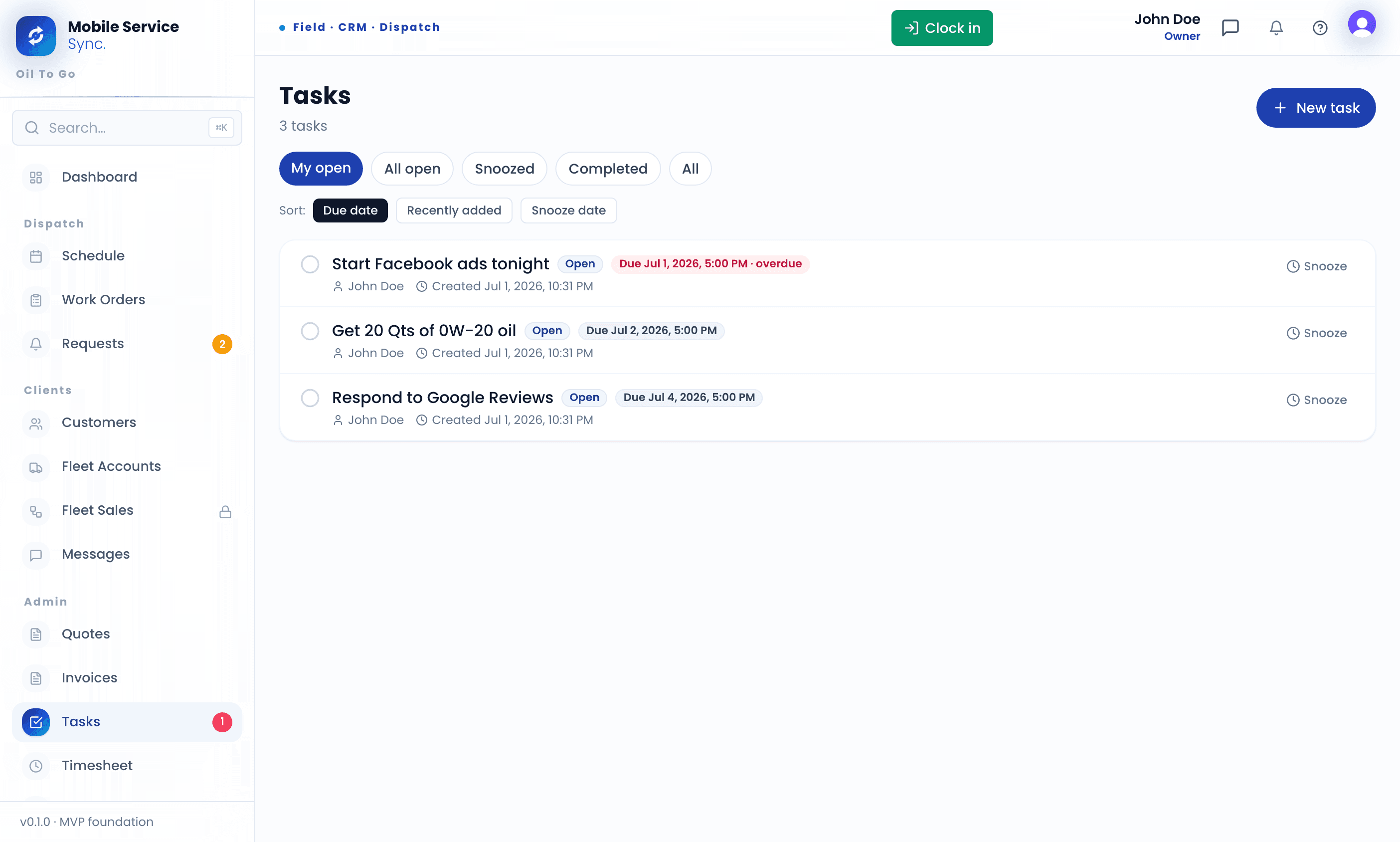
Tasks Where the Work Actually Lives.
Attached to the Record
Tasks live on customers, vehicles, jobs, or fleets - not in a separate to-do app you forget about.
Assignable
Hand a task off to a tech or another office user. Their dashboard surfaces what's due today.
Due Dates That Stick
Everything carries a due date, and the overdue list won't let things quietly slip. Snooze what can genuinely wait.
Log the Follow-Up the Moment You Think of It.
A follow-up is two taps from the customer, vehicle, or job you're already looking at. Assign it, date it, tag it - and it sits on the right person's list until it's actually done.
- Create tasks inline from any customer, job, or fleet
- Assign to a tech or office user with a due date
- Snooze to tomorrow, next week, or a specific date
- Tag callbacks, parts orders, and fleet ops, then filter
Customer asked a question on-site? Log it from the record before it's forgotten.
Interval passed without a booking? Drop a task to chase it while it's warm.
Estimate sent, no approval yet. A task keeps the chase on someone's list.
Quarterly fleet review coming up? Task the prep to the account manager.
The Bits That Make Tasks Not Annoying.
Context Attached
The customer, vehicle, or job the task belongs to is one tap away - not buried in a separate to-do app.
Snooze + Reschedule
Not today? Push it to tomorrow, next week, or a date you pick. It comes back when you said it should.
Tags + Filters
Tag tasks (callbacks, parts orders, fleet ops) and filter the list down to what matters right now.
Stop Losing Follow-Ups to Sticky Notes.
The follow-up that turns into the renewal lives here.