Torquing to spec...
Schedule the Day. Route the Trucks. Done Before Coffee.
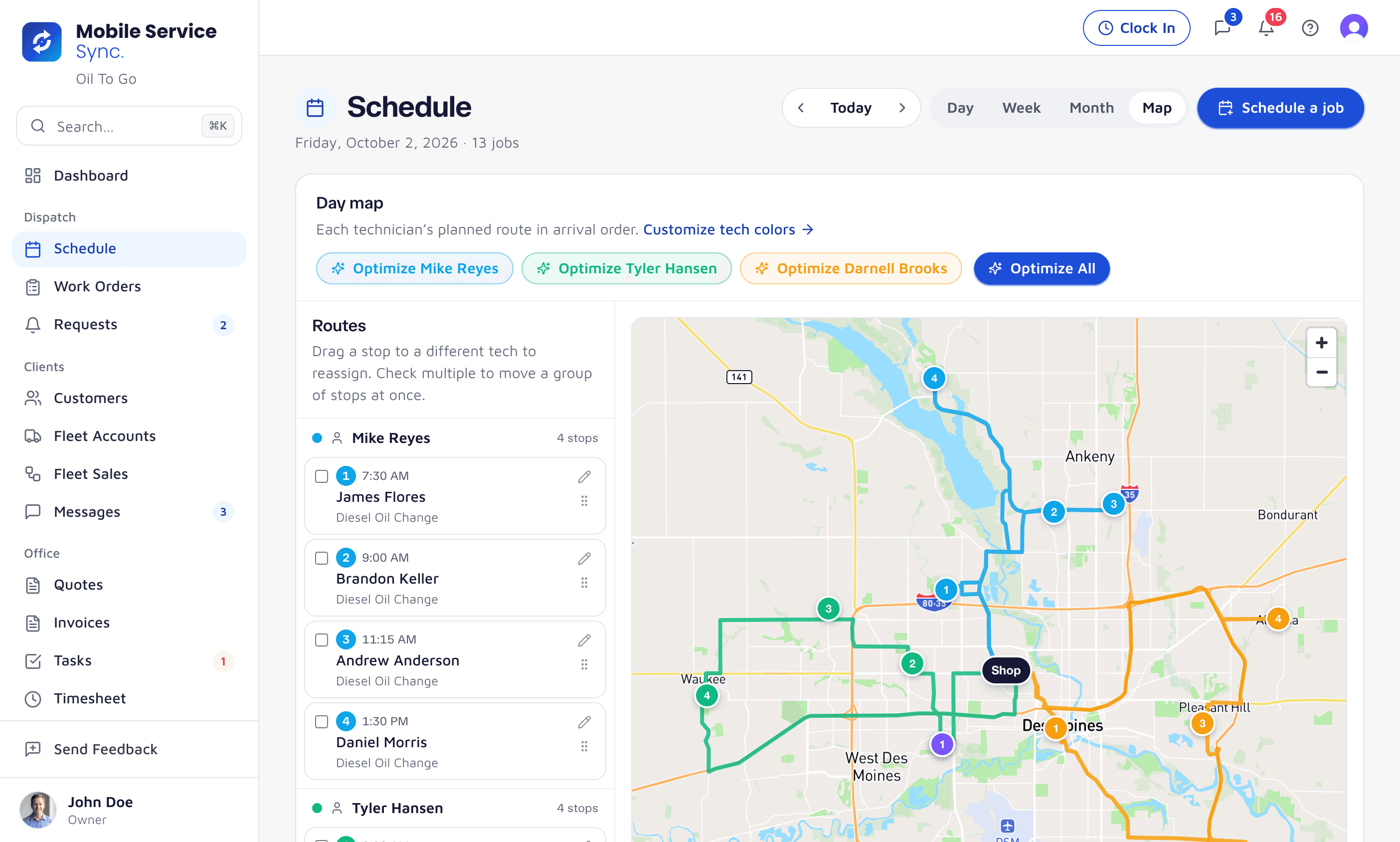
Mobile Service Sync was built around the route. Drag a job onto a tech and his phone lights up. One click puts each truck's day in order on real drive times. No spreadsheets, no group texts.
app.mobileservicesync.com / schedule
Built Around the Way Mobile Crews Dispatch.
Drag-and-Drop Everything
Day, week, and route views. Drag a job from the unscheduled list onto a tech's day. Drag stops to reorder. The map and his phone update instantly.
One-Click Route Optimization
Mapbox optimizes for real drive time, not as-the-crow-flies. Skip the freeway at rush hour. Group two stops in the same office park.
Booking That Respects the Day
The booking widget only offers windows inside your hours, service area, and lead-time rules, with per-window capacity limits - so a customer can't overbook the truck.
Try It the Day You Sign UpStart a free trial and route your first day today.
See Every Truck. Reassign With One Drag.
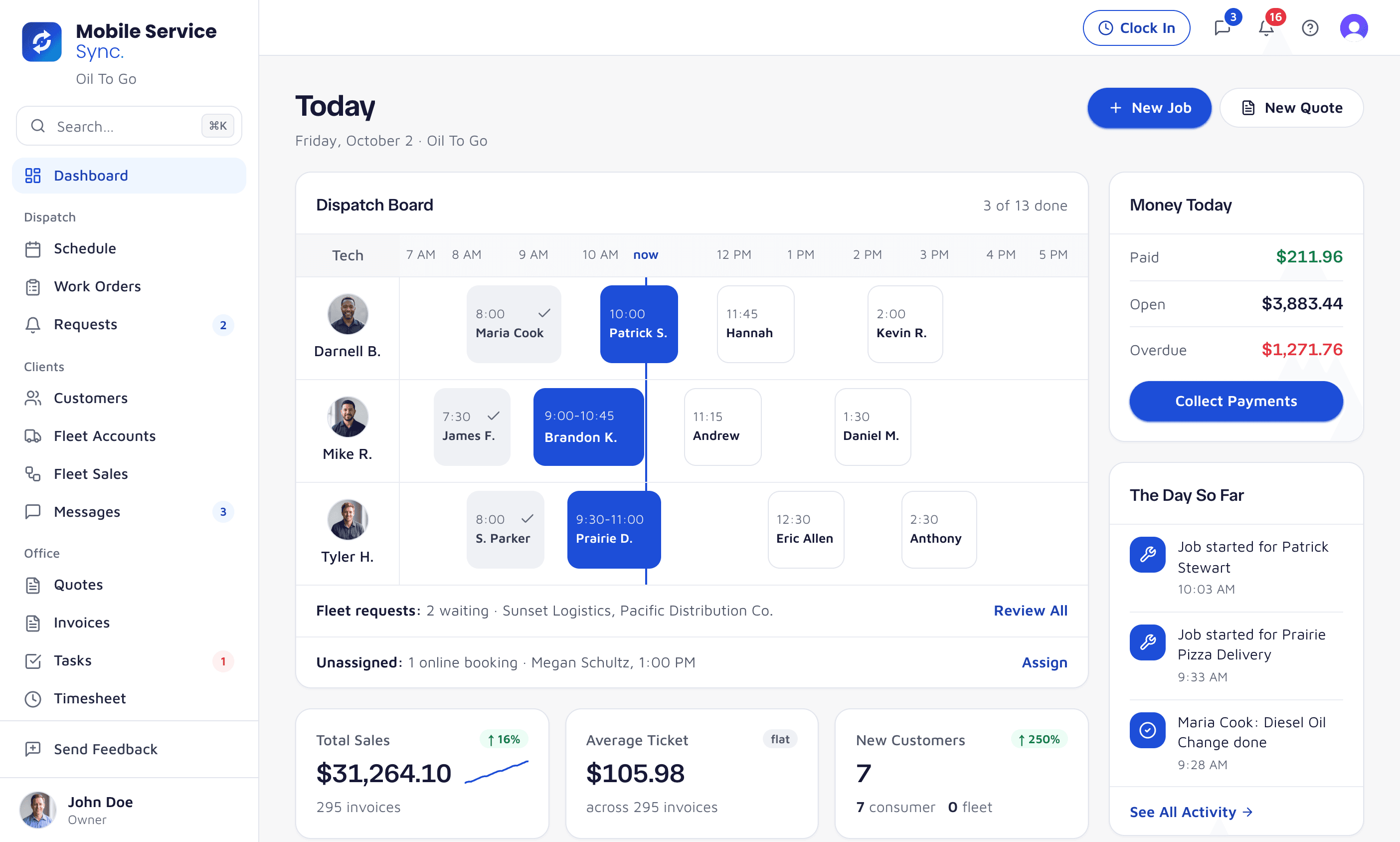
The crew view shows every tech's day side-by-side. A no-show or a long inspection? Drag a stop from one tech to another and both phones update.
- Day / week views per tech
- Color-coded route lines
- En-route / on-site status on the board
app.mobileservicesync.com / dashboard
Every Stop, in the Tech's Pocket.
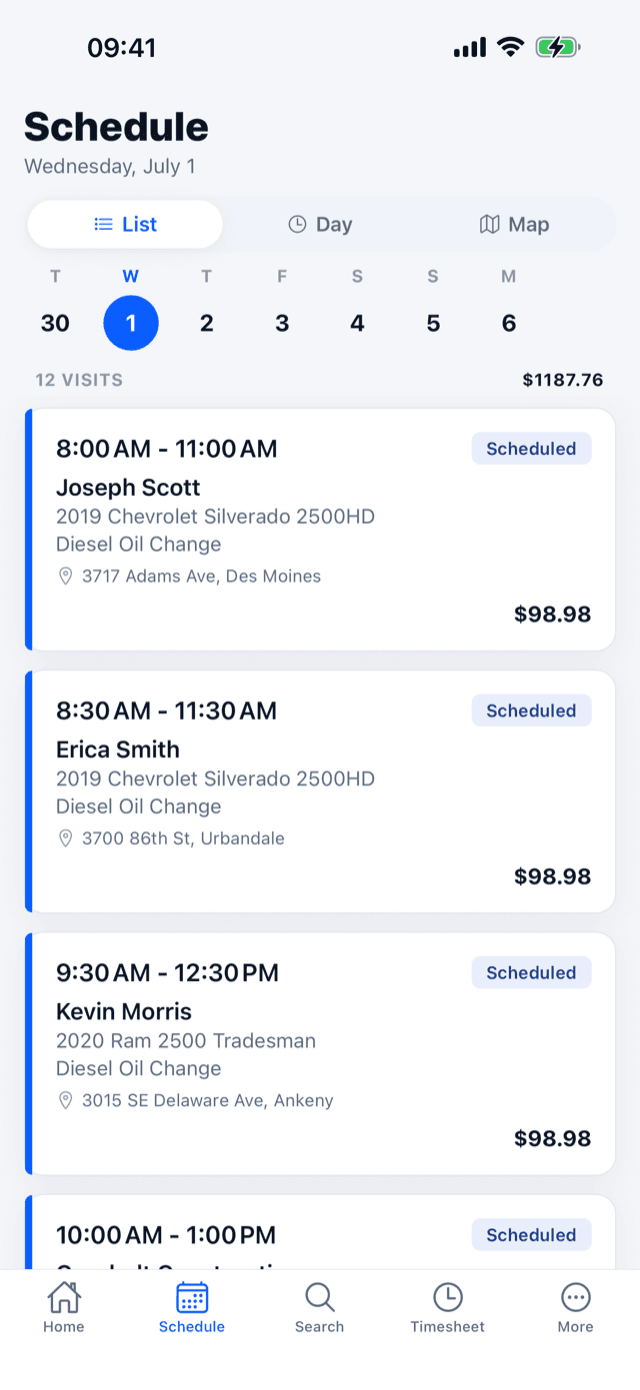
The mobile app shows today's route in the right order. One tap for nav, one tap to send an on-my-way text, one tap to mark the stop complete.
- One-tap handoff to Apple or Google Maps
- Gate codes + customer notes
- On-my-way SMS at one tap
Routing Details That Matter on the Road.
Geocode Once, Never Re-Type
Addresses cache with the customer. Suite numbers, gate codes, and dock instructions stay with the vehicle.
Recurring Jobs
Standing weekly fleet stops? Set the cadence once. Mobile Service Sync drops them onto next month's schedule automatically.
Customer Notifications
Booking confirmations go out by SMS and email, and the tech sends an on-my-way text with an ETA in one tap.
Schedule Your First Route the Day You Sign Up.
Onboarding is hours, not weeks. Bring your existing customer list and we'll have you dispatching trucks the same afternoon.