Mobile Service Sync and Orderry at a Glance
| Feature | Mobile Service Sync | Orderry |
|---|---|---|
| Built for | Mobile Service SyncMobile auto service: oil change, mechanics, detailing, tire and fleet crews | OrderryRepair shops and small businesses, from electronics to auto |
| Route optimization | Mobile Service SyncOne click orders each tech's day on real Mapbox drive times | OrderryNot offered; its own comparison lists map view as coming soon |
| Service area | Mobile Service SyncZIP list or radius, enforced on the booking page | OrderryBooking page never asks for the customer's address |
| License plate to VIN lookup | Mobile Service SyncYes, on every plan: in the office, the tech app and the booking page | OrderryVIN lookup from Startup up; a plate only finds vehicles already saved |
| Two-way texting | Mobile Service SyncOn every plan: 1,000 to 10,000 texts a month | OrderryBring your own Twilio account and register it yourself; no MMS |
| Technician app | Mobile Service SyncNative iOS and Android app that keeps working offline | OrderryiOS and Android app; no offline mode in its help center |
| Starting price | Mobile Service Sync$49/month (Core: 1 user, 20 jobs a month) | Orderry$39/month (Hobby: 2 employees, 100 work orders a month) |
| Free trial | Mobile Service Sync14 days, no card | Orderry7 days, no card |
6 Reasons Mobile Crews Pick Mobile Service Sync Over Orderry
One Click Puts Each Van's Day in Order
Orderry's own comparison page lists its map view as coming soon and GPS tracking as not available. A mobile day is a route.
Drag jobs onto a tech, then one click sequences that tech's stops on real Mapbox drive times. Every van's stops sit on one map, and moving a stop to another van is one drag. When the margin is the drive between driveways, this is the screen that pays for the software.
app.mobileservicesync.com / schedule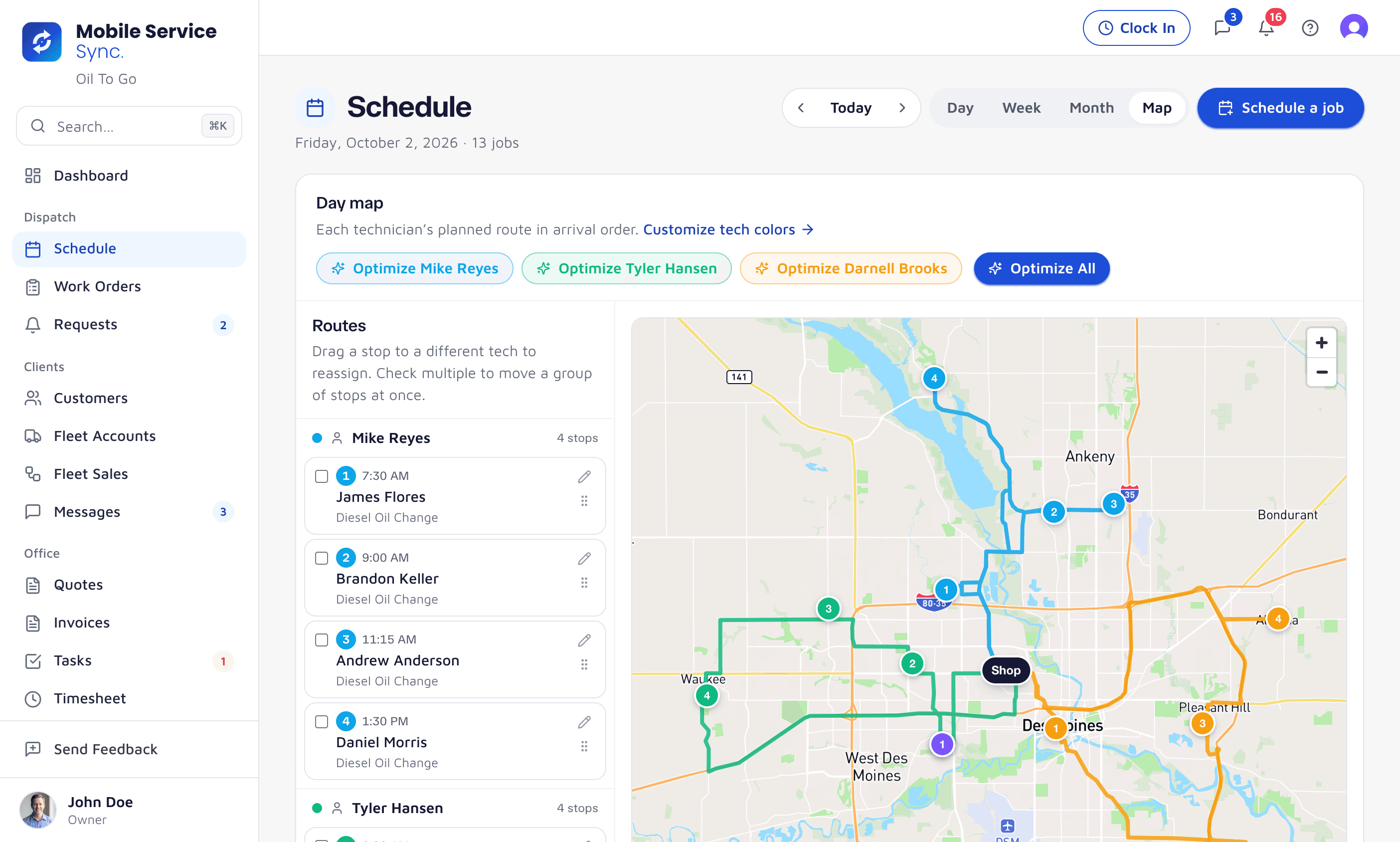
Your Service Area, Enforced
Orderry's booking page starts by picking one of your locations and never asks where the customer is. Ours knows where your vans go.
Set the area by ZIP list or by radius. A booking from outside it is stopped on the booking page and flagged in dispatch, before a van drives forty minutes for one oil change.
app.mobileservicesync.com / settings / service-area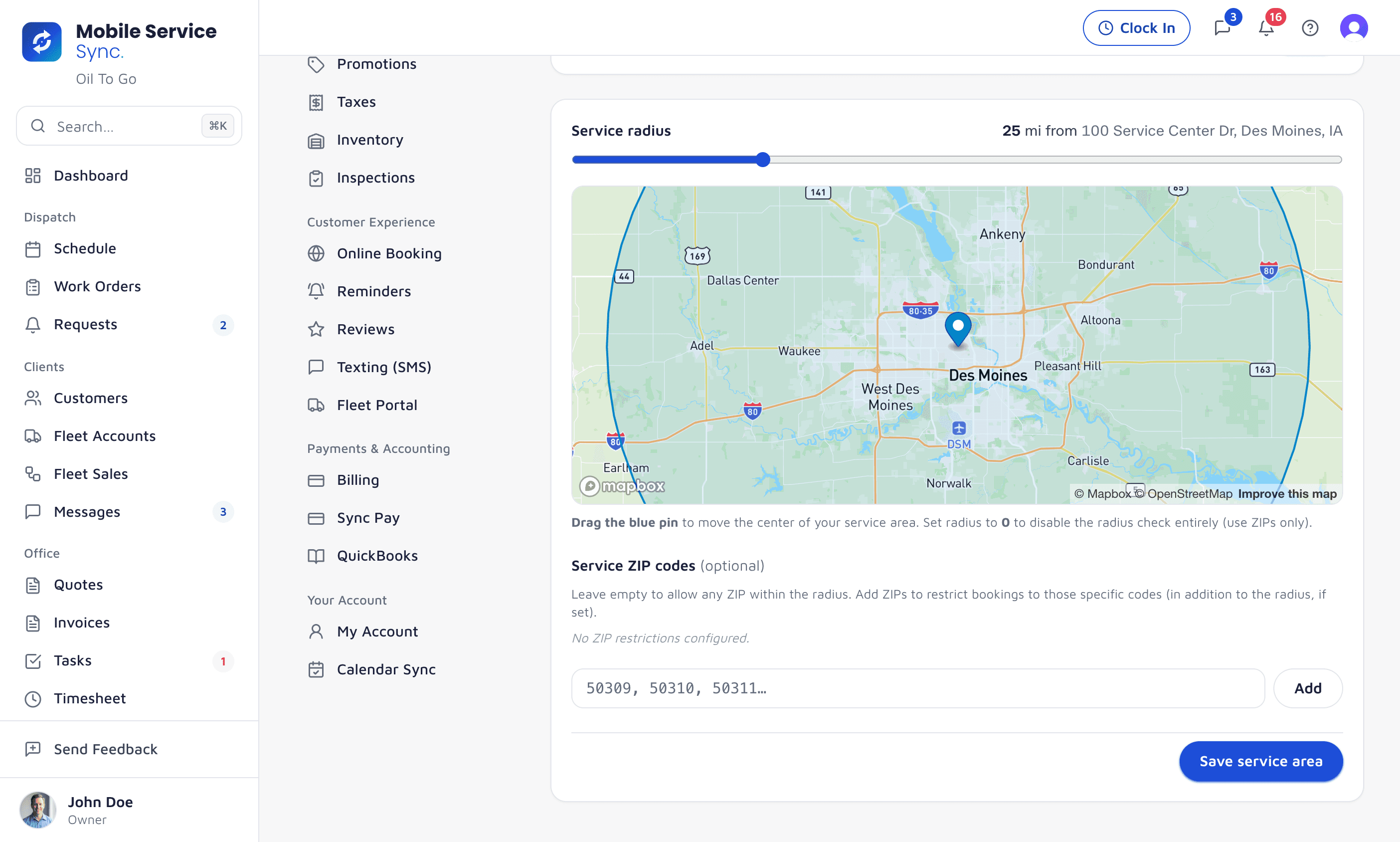
License Plate to VIN Lookup on Every Plan
Orderry decodes a VIN from its Startup plan up, and a plate only finds a vehicle you have already saved. Here a plate and state look the vehicle up.
Type a plate and state and the VIN, year, make, model, trim and engine fill in, and a VIN decodes the same way. It works in the office, in the tech app, and on your booking page, where the customer types their own plate. Oil weight and capacity are saved on the vehicle, so the next visit starts with them.
app.mobileservicesync.com / book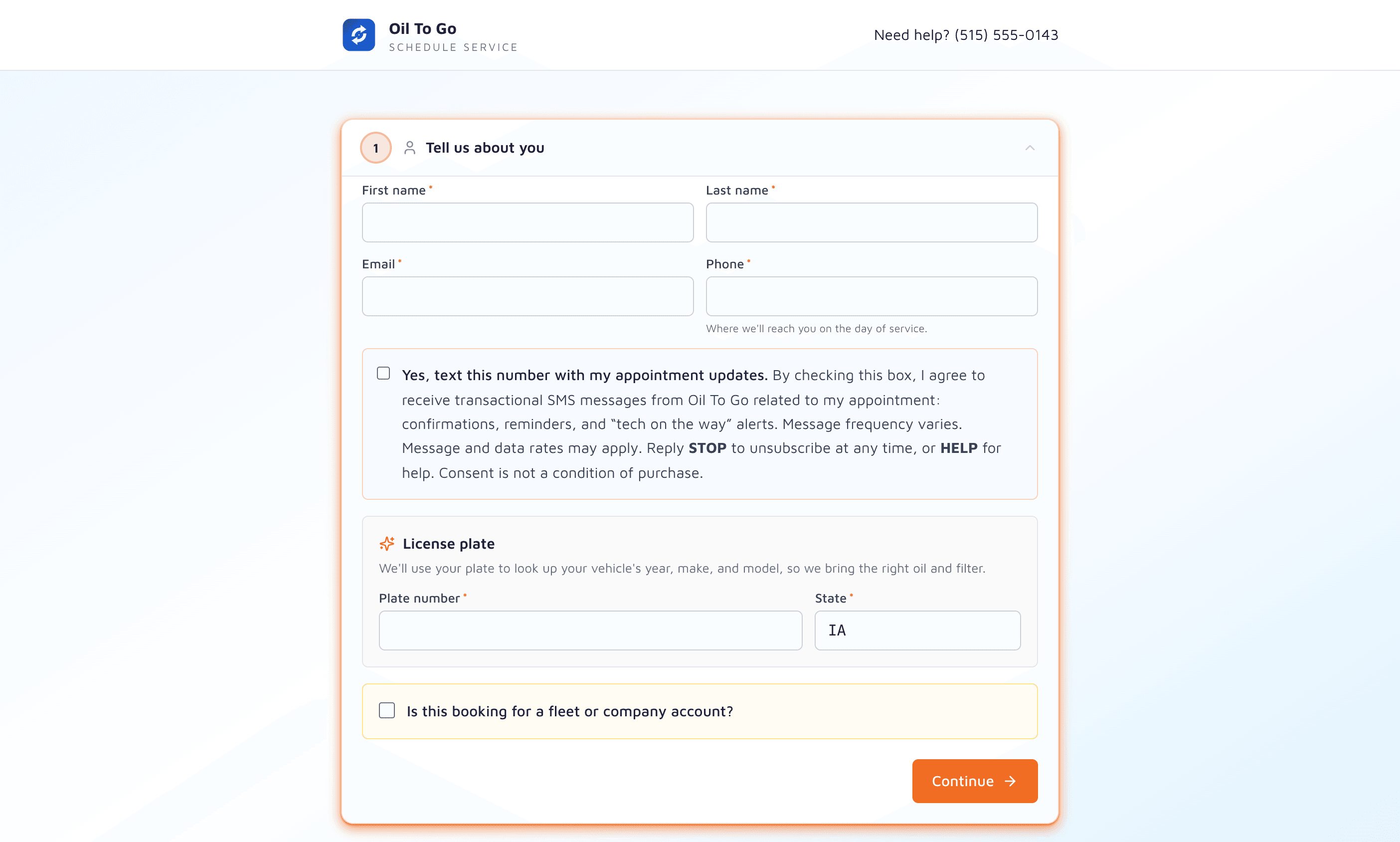
Texting Lives on the Customer Record
Orderry texts through your own Twilio account, which you register for A2P 10DLC yourself, with no picture messages. Here texting comes registered and in the plan.
Two-way texting threaded into each customer, registered for A2P 10DLC, with photos both ways. 1,000 texts a month on Core, 5,000 on Growth, 10,000 on Pro.
app.mobileservicesync.com / inbox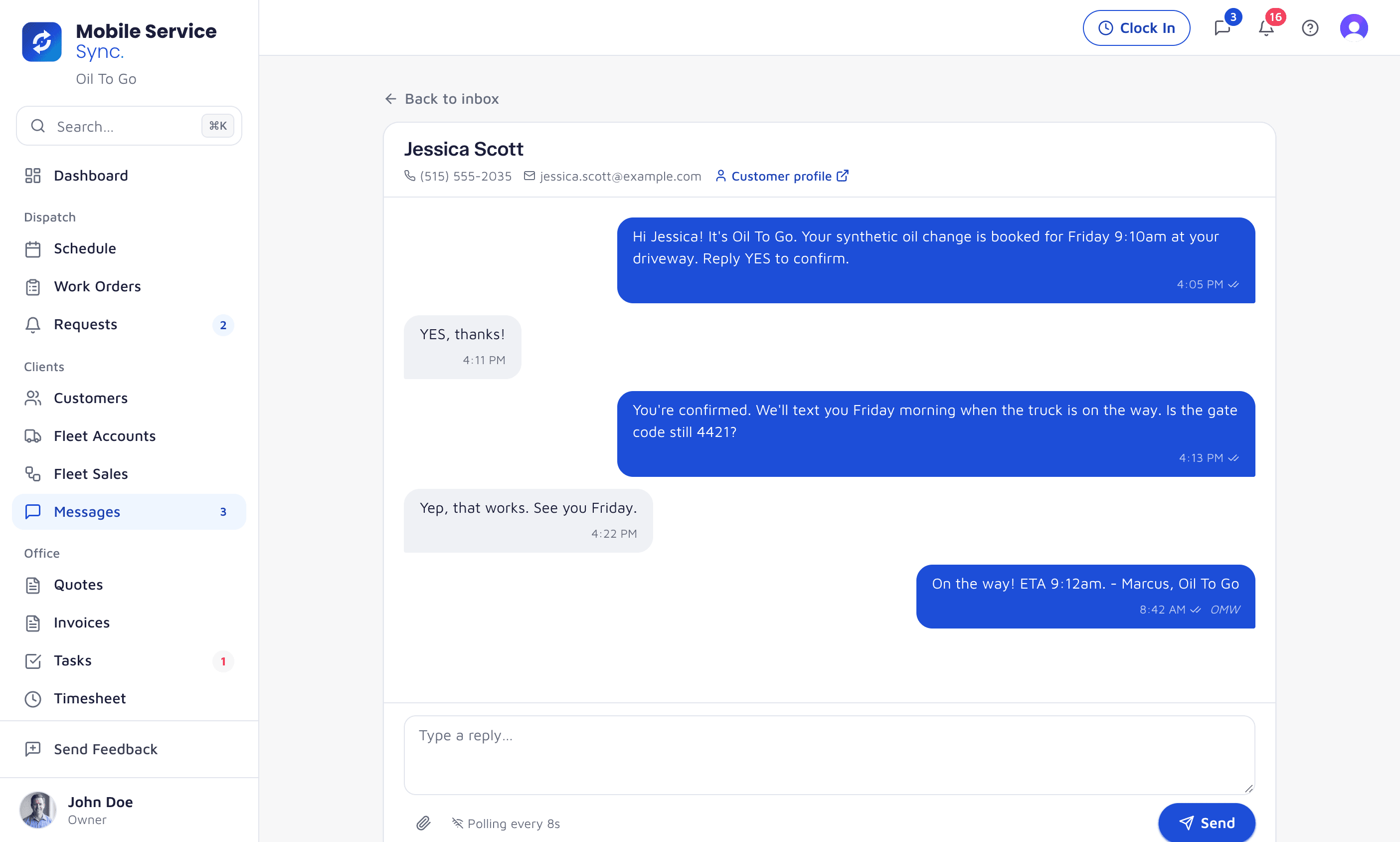
It Keeps Working With No Signal
Orderry's help center describes cloud software reached over an internet connection and documents no offline mode.
The day's jobs download to the phone. In a parking garage or a dead zone, job status, inspections with photos, mark complete, line items, cash and check payments and the time clock all still work, then sync when the signal comes back, stamped with the time they were tapped.
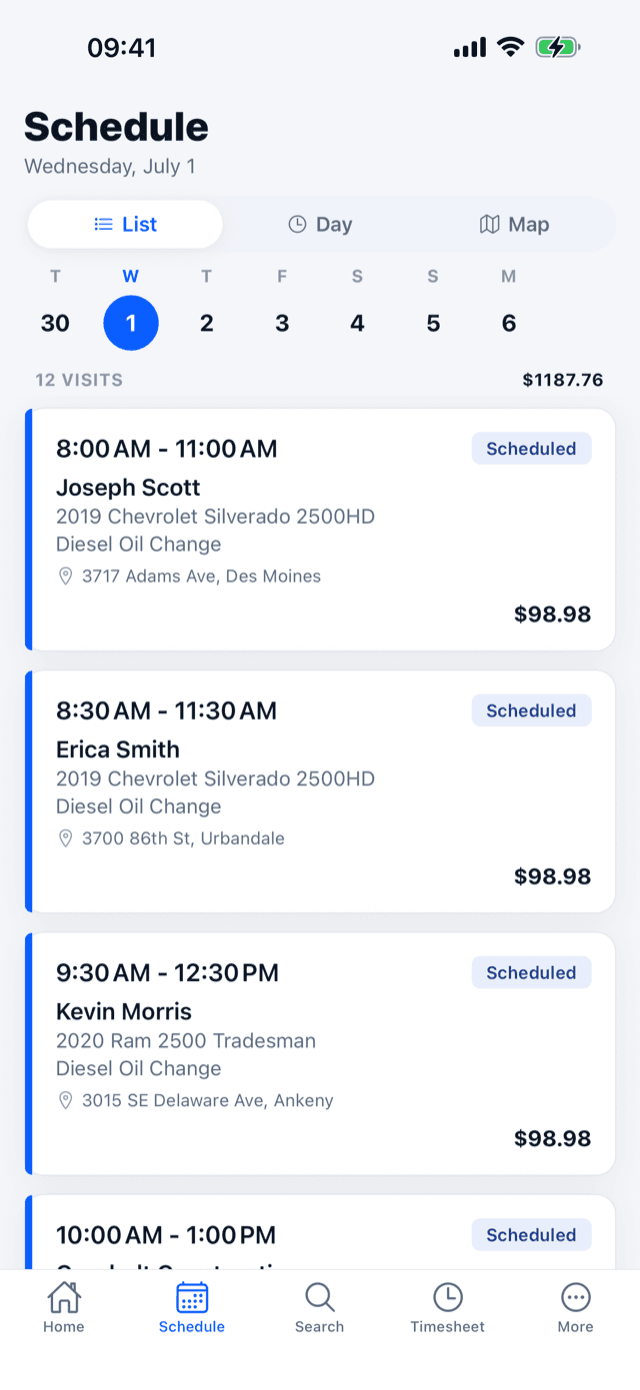
A garage level with no bars. The job still gets done, and the office sees it at 9:12, not whenever the van drove out. Fleet Accounts, Built In
Orderry customers approve and pay through a link per job. Fleets here get a portal they log into.
Each fleet carries its own pricing, its PO-required rule and net-15 or net-30 terms, applied every time it books. On Growth and Pro the fleet manager gets a portal: every vehicle, what is coming due, service requests that land with your dispatcher, and a roster they can export.
app.mobileservicesync.com / fleet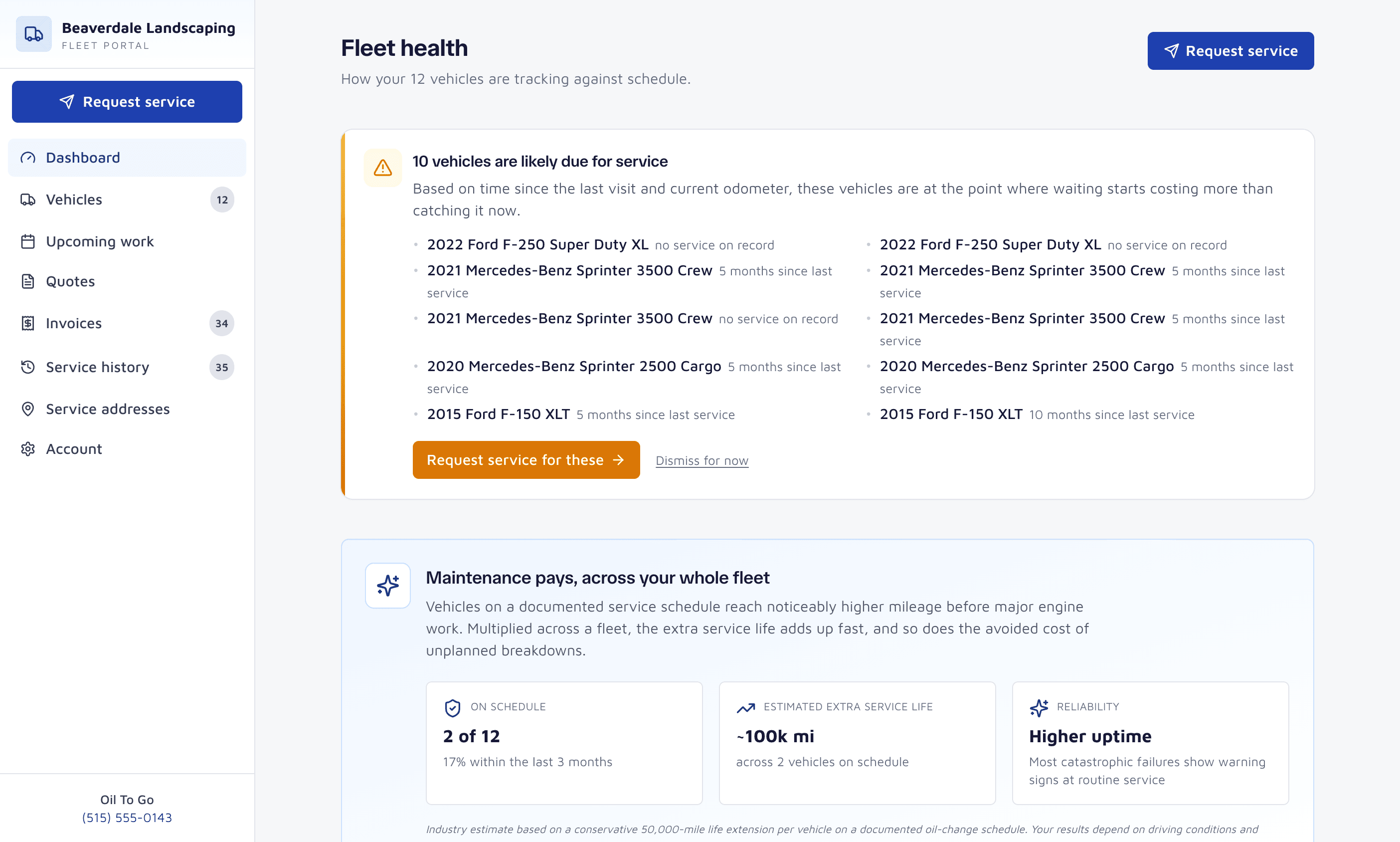
Mobile Service Sync vs. Orderry Pricing
Mobile Service Sync
- Core1 user, 20 jobs a month$49/mo
- Growth2 users, unlimited jobs, fleet portals$175/mo
- Pro5 users, fleet sales pipeline$299/mo
Orderry
- Hobby: $39/mo, 2 employees, 100 work orders a month
- Startup: $69/mo, 3 employees, +$6/mo per added employee
- Business: $99/mo, 3 employees, +$9/mo per added employee
- Enterprise: $199/mo, 3 employees, +$19/mo per added employee
- Extra locations $49 to $179/mo; texts billed by your own SMS gateway; 10% off annually
Orderry costs less per seat. What it does not have is the route optimization, the service area check, the plate to VIN lookup and the offline app a mobile crew leans on every day, and its texting is a separate Twilio bill you register yourself. Our Core plan is $49 with all of that, and Growth is $175 with two users.
When Orderry Might Be the Better Call
- For a parts-heavy repair shop that also sells over the counter, Orderry's inventory (warehouses, serial numbers, bins, supplier orders) and built-in point of sale go further than ours.
- Orderry costs less per seat: three employees on its $69 Startup plan.
Questions Crews Ask
Yes. Orderry is the North and Latin American name for the product sold elsewhere as RemOnline, now called RO App. It started in electronics repair and serves repair shops and small businesses across many trades.
It has a mobile mechanic page, but its own comparison lists map view as coming soon and GPS tracking as not available, its booking page does not collect the customer's address, and its help center documents no offline mode. Mobile Service Sync was built for mobile crews: one-click route optimization, a service area enforced at booking, and a tech app that works offline.
Orderry decodes VINs from its Startup plan up; searching by plate only finds vehicles already in your records. Mobile Service Sync looks up the VIN, year, make, model, trim and engine from a plate and state on every plan.
Orderry is $39 a month for Hobby (2 employees, 100 work orders), then $69, $99 or $199 a month with 3 employees and $6 to $19 per added employee. Texting is billed separately by your own SMS gateway. Mobile Service Sync is $49, $175 or $299 a month with texting included.
Sources
Everything said about Orderry on this page comes from its own website, read on October 16, 2026. Prices and features change; check theirs before you decide.
- Orderry pricing
- Orderry for mobile mechanics
- Orderry's own Kickserv comparison
- Orderry help: booking page
- Orderry help: SMS through Twilio
- Orderry help: VIN lookup
- Orderry help: what Orderry is
- RemOnline is now RO App
Orderry is a trademark of its owner, used here only to identify the product compared. Mobile Service Sync is not affiliated with or endorsed by Orderry.